
October was an exciting month for FlyWP, with new capabilities designed to help you publish websites differently, manage infrastructure more efficiently, and grow your hosting business.
Across our October updates, we introduced Static Site Publishing, expanded server monitoring and notification options, added bulk actions for site management, and made server scaling easier. We also reached a major milestone: FlyWP White Label is now publicly available, opening new opportunities for agencies, freelancers, and hosting businesses to build their own branded hosting businesses.
Alongside these launches, we introduced a free 48-hour Managed Server Trial for new users and delivered important improvements across security, backups, migrations, SSL, and platform reliability.
Here's everything we've been working on.
New Features
Static Site Publishing: Turn WordPress Sites into Static Websites
WordPress gives you a flexible way to build websites, but some projects benefit from the performance and simplicity of static delivery.
With Static Site Publishing, you can generate a static HTML version of your WordPress site and publish it to your preferred destination directly through FlyWP.
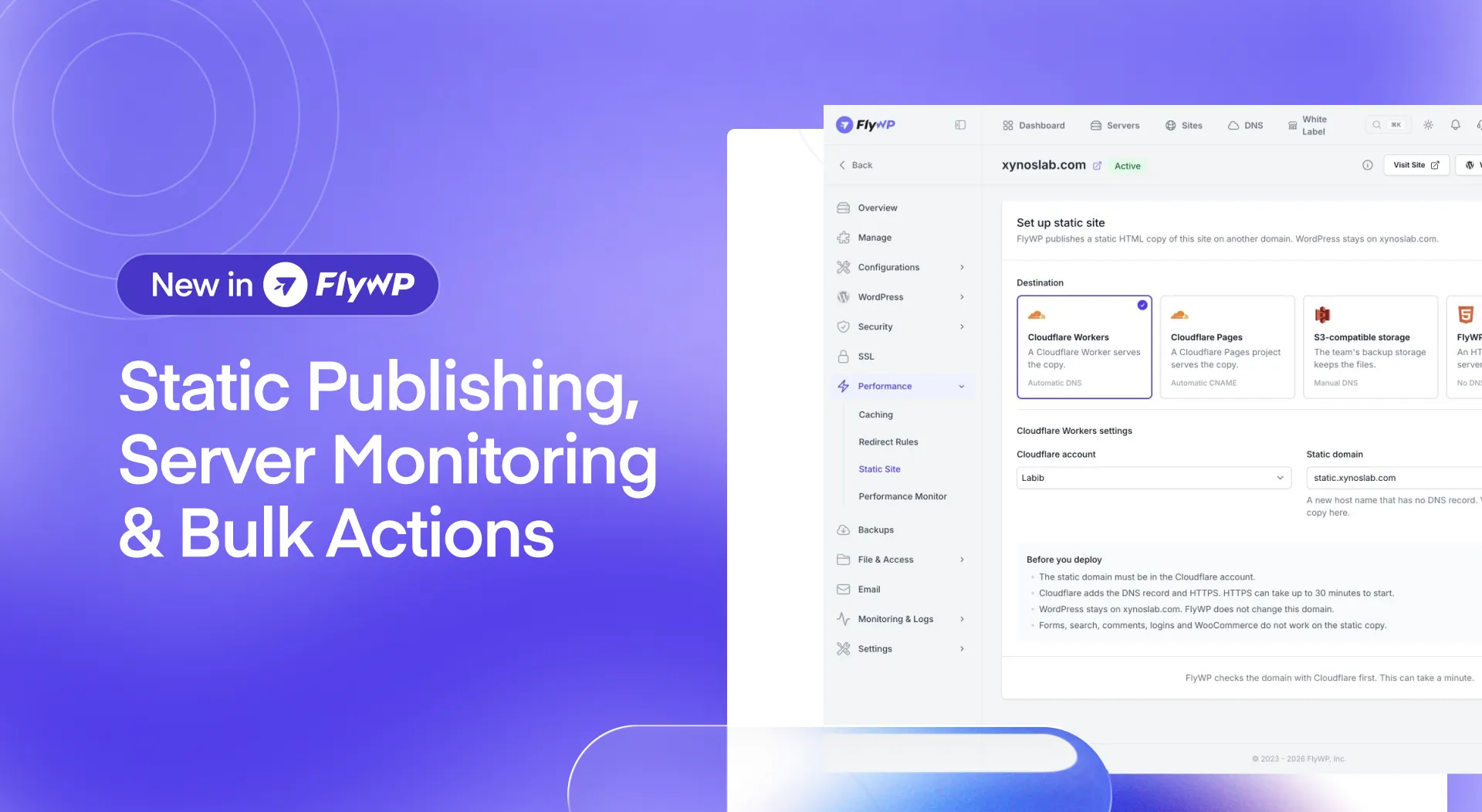
Supported publishing destinations include:
- Cloudflare Workers
- Cloudflare Pages
- S3-compatible storage
- FlyWP HTML Sites
The workflow includes several capabilities to simplify static publishing:
- Incremental Builds: Update your published site without rebuilding everything unnecessarily.
- Guided Setup: Configure your publishing destination through a setup wizard.
- Deployment History: Review previous deployments.
- Full Rebuilds: Rebuild the entire static site when needed.
- No DNS Changes Required: Publish your static version without needing to change your existing DNS configuration.
Static Site Publishing gives developers and agencies another way to deliver websites while keeping their WordPress development workflow within FlyWP.
Server Monitoring: Get Better Visibility into Your Infrastructure
Understanding server health is essential when managing multiple websites and growing infrastructure.
FlyWP's Server Monitoring capabilities provide real-time visibility into server resources and performance directly from your dashboard.
You can monitor:
- CPU and memory usage
- Resource usage gauges and performance charts
- Short-term resource peaks captured at 10-second intervals
- Disk IOPS
- Resource usage by individual site
- Docker status
These insights help you understand how your servers are performing, investigate potential resource bottlenecks, and make more informed infrastructure decisions.
Combined with FlyWP's monitoring notifications, these capabilities give you better visibility into both server performance and potential issues.
Bulk Actions: Manage Multiple Sites Faster
Managing multiple WordPress sites can involve repetitive tasks that consume valuable time.
With Bulk Actions, you can select multiple sites and perform supported operations across them from a single workflow.
Available actions include:
- Updating Docker images
- Installing Cloudflare Origin Certificates
- Applying backup policies
- Enabling or disabling Uptime Monitoring
- Configuring SMTP settings
You can also cancel an operation that is in progress and retry sites where an action fails.
We've also unified the main Sites page and the server-level Sites page into a more consistent table experience. Bulk Actions are available through the Public API as well, helping teams incorporate these operations into their own workflows.
For agencies and teams managing many websites, these improvements reduce repetitive work and make everyday site administration more efficient.
Server Monitoring Alerts: Stay Informed About Infrastructure Issues
Monitoring server health is more useful when you know about problems that need attention.
FlyWP introduced nine server monitoring alerts that appear in the notification center and are delivered by email.
These alerts cover important conditions, including:
- Servers that stop responding
- High CPU usage
- High memory usage
- Critical disk-space levels
- Recovery notifications when monitored issues are resolved
The update also introduced a configurable disk-critical threshold, set to 95% by default. CPU and memory alerts use a 10-minute evaluation window to help reduce unnecessary notifications caused by temporary spikes.
These alerts help you identify potential infrastructure issues sooner without having to check your dashboard constantly.
Slack Notification Channels: Bring Alerts into Your Team's Workflow
Your team shouldn't need to stay inside FlyWP to keep track of important server and site events.
With Slack Notification Channels, you can connect your Slack workspace and send FlyWP alerts directly to your team's preferred channels.
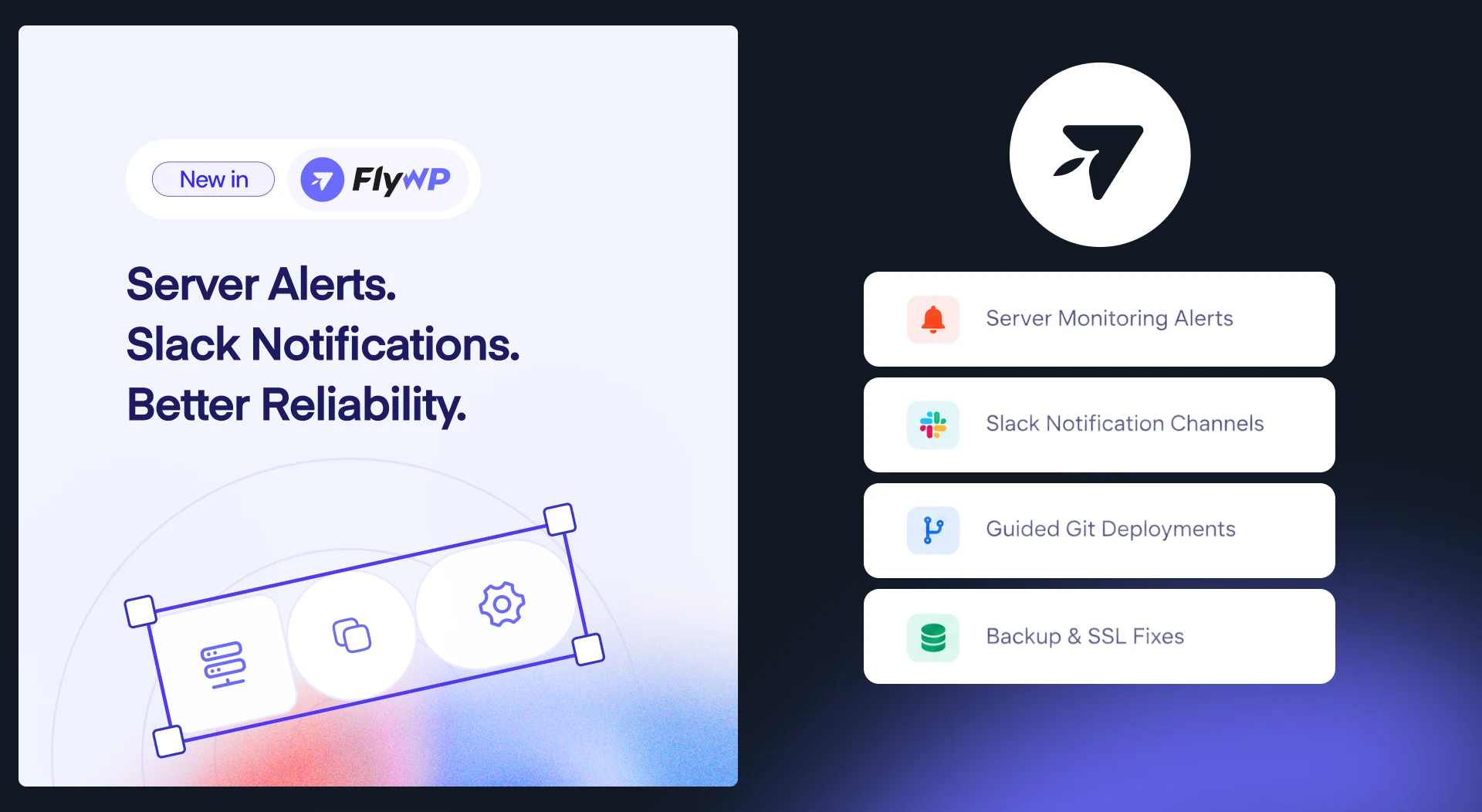
You can:
- Connect your Slack workspace.
- Send server and site alerts to up to five Slack channels.
- Test notifications directly from FlyWP.
- Configure notifications through Team Settings or the relevant server and site monitoring pages.
By bringing notifications into Slack, your team can stay informed and coordinate responses using a communication tool it already uses.
Telegram Group Alerts: Keep Your Team Connected
FlyWP also expanded notification options with Telegram Group Alerts.
You can connect up to five Telegram groups to your FlyWP account and receive server and site alerts directly in your group chats.
Notifications are delivered as rich HTML messages and include an Open in FlyWP button, allowing team members to navigate directly to FlyWP when they need to investigate an issue.
This gives teams another way to stay informed about infrastructure events without constantly switching between their communication tools and the FlyWP dashboard.
Server Scaling: Grow Your Infrastructure from FlyWP
As websites grow, their resource requirements can change. Upgrading a server shouldn't require a complicated manual process.
With Server Scaling, you can upgrade supported DigitalOcean, Vultr, Akamai, and Hetzner servers directly from your FlyWP dashboard.

FlyWP handles the upgrade workflow by powering off the server, applying the new plan, and powering it back on.
Two scaling options are available:
- CPU and RAM: Increase processing and memory resources.
- CPU, RAM, and Disk: Upgrade processing, memory, and disk capacity together.
For managed servers, billing charges only the prorated difference upfront. If an upgrade fails, the charge is fully refunded.
This makes it easier to respond to growing resource demands and increase server capacity from within FlyWP.
FlyWP White Label: Build Your Own Hosting Business
October marked a major milestone for FlyWP: White Label is now publicly available.

Agencies, freelancers, and hosting businesses can now use FlyWP's infrastructure management platform to build their own branded hosting experience and serve customers under their own brand.
Instead of developing a hosting management platform from scratch, you can use FlyWP as the technology behind your hosting business while focusing on your customers, packages, and growth.
Your Brand. Your Packages. Your Customers.
FlyWP White Label enables you to:
- Build Your Own Hosting Brand: Offer hosting through your own branded experience.
- Create Your Own Packages: Structure hosting packages around your business model.
- Serve Your Own Customers: Build and grow your customer base under your brand.
- Choose Your Infrastructure: Use FlyWP Managed Infrastructure or bring your own server (BYOS).
- Manage Hosting with FlyWP: Use FlyWP's platform to power your hosting management experience.
White Label opens up new possibilities for businesses that want to expand beyond website development and offer hosting services under their own brand.
Whether you're running an agency, managing client websites, or exploring a hosting business, you can build on FlyWP's infrastructure management capabilities instead of starting from scratch.
Start Your Hosting Business with the Free Launch Tier
The public launch also introduces an accessible starting point for businesses exploring White Label.
With the Free Launch Tier, eligible users can start building their branded hosting business without paying for a White Label subscription.
This gives agencies, freelancers, and hosting entrepreneurs an opportunity to get started and explore the White Label business model before moving to a paid tier as their needs grow.
Infrastructure costs, where applicable, should be considered separately from the White Label subscription.
Ready to build your hosting brand?
Explore FlyWP White Label and discover how you can start building your own branded hosting business.
More Ways to Get Started with FlyWP
Managed Server Trial: Try FlyWP Free for 48 Hours
We've also made it easier for new users to experience FlyWP firsthand.
The new Managed Server Trial gives eligible new users a free DigitalOcean server with one WordPress site for 48 hours, without requiring a credit card at signup.
The trial includes:
- A free DigitalOcean server
- One WordPress site
- 48 hours to explore FlyWP
- No credit card required at signup
Rather than relying solely on a product walkthrough, new users can explore FlyWP in a real server environment and become familiar with its managed hosting workflow.
The trial is available exclusively to new users, with access provided through the FlyWP dashboard.
Enhancements
Beyond the major features, October brought several improvements to monitoring, deployments, and everyday infrastructure management.
More Control Over Monitoring Alerts
FlyWP updated its server monitoring alert behavior to give users greater control over notifications.
Monitoring alerts for CPU usage, memory usage, disk space, and connectivity now require users to configure their own thresholds. FlyWP no longer applies default thresholds to these alerts.
This allows you to decide which conditions should trigger notifications based on your infrastructure requirements.
A Guided First Deployment for Git-Based Sites
We've improved the first-deployment experience for Git-based sites with a new Ready to deploy checklist.
The checklist verifies that the deployment key is configured before enabling the Deploy Now button.
The guided workflow supports Git-based sites, including Bedrock, Laravel/PHP, Node.js, and HTML sites.
By checking deployment readiness before deployment begins, FlyWP helps make the setup process clearer and reduces avoidable configuration issues.
Faster Uptime Page
The Uptime page now loads faster thanks to improved caching.
This makes it quicker to access monitoring information and check the status of your sites.
Bug Fixes & Reliability Improvements
Alongside the new features and enhancements, we addressed several issues across backups, SSL, server configuration, migrations, security, and reseller workflows.
More Reliable Backups
We've improved pCloud backup handling, particularly for backups stored in nested folders.
Cleanup and download operations are now more reliable, and requests retry when a connection is lost. We've also fixed issues affecting backup deletion and nightly cleanup after switching backup providers.
Additionally, backup alerts are now more accurate, reducing false notifications.
Improved SSL Installation and Domain Verification
SSL troubleshooting is now more informative when a firewall, security plugin, or CDN blocks the Let's Encrypt domain challenge.
FlyWP provides clearer guidance, including the relevant HTTP status code, instead of relying on a generic DNS error message. A skip option is also available when you have verified that your configuration is correct.
Other improvements include:
- Correcting SSL installation issues affecting sites protected by the 8G Firewall.
- Fixing SSL warnings that could remain after a domain rename, even when a valid certificate had been installed.
- Improving the handling of domain verification before certificate installation.
These changes make SSL troubleshooting clearer and help resolve common certificate installation issues.
More Reliable NGINX Logging and Caching
We've improved NGINX log rotation and fixed an issue that could leave log files empty after rotation.
We also corrected NGINX browser-caching behavior that could cause sensitive WordPress pages, such as WP-Admin and login redirects, to receive an inappropriate one-hour browser cache header.
These fixes improve logging reliability and help prevent unintended caching behavior.
Better OpenLiteSpeed Redirect Handling
Domain redirects on OpenLiteSpeed now preserve the complete URL path and query parameters.
Custom redirects also no longer remove existing domain redirects.
These changes help maintain expected redirect behavior when managing domains and custom URL rules.
More Reliable Git and HTML Site Workflows
We've fixed a configuration issue affecting HTML sites that don't use Git.
We also improved Git deployment readiness checks and corrected notification email links that could previously direct users to the wrong team.
Together, these changes make deployment workflows clearer and reduce friction when managing sites.
More Reliable Database Migrations
Database exports can take longer when migrating sites with large databases.
We've extended the database dump polling timeout from 10 minutes to up to two hours, helping prevent long-running exports from failing because of a premature timeout.
FlyWP also surfaces the underlying error when something goes wrong, making migration troubleshooting easier.
PHP Security and Rollout Stability
FlyWP rolled out patched PHP images addressing CVE-2026-109618 and CVE-2026-109619 across all sites.
As part of the update, session.upload_progress was disabled fleet-wide.
We've also improved the PHP rollout supervisor to run as a fixed pool, preventing Horizon from terminating busy rollout workers during an update.
These changes strengthen the security baseline and improve the reliability of PHP image rollouts.
More Accurate Server Reporting
Admin reporting and analytics now count only servers in the Ready state as active.
This provides a more accurate view of active server counts.
Improved Subscription and Reseller Workflows
We've addressed several issues affecting billing and White Label reseller operations.
These include:
- Fixing add-on cancellation for teams with multiple subscription records.
- Restoring White Label plan creation on resellers' own servers when the FlyWP platform fee is disabled.
- Preserving reseller branding on two-factor authentication and confirm-password pages.
- Correcting premature SSL expiry alerts for healthy certificates before the scheduled renewal process runs.
We've also corrected disk-space notification guidance to clarify that backups do not consume server disk space and are not stopped by a time limit.
Wrapping Up
October brought meaningful progress across FlyWP, from new infrastructure management capabilities to a major milestone for hosting businesses.
With Static Site Publishing, Server Monitoring, Bulk Actions, and new notification channels, you have more ways to publish websites, monitor infrastructure, and manage multiple sites efficiently.
The public launch of FlyWP White Label is another important step forward, giving agencies, freelancers, and hosting entrepreneurs a way to build their own branded hosting businesses. The Free Launch Tier and 48-hour Managed Server Trial also make it easier for new users to explore what FlyWP can offer.
Combined with improvements to backups, SSL, migrations, security, and reseller workflows, these updates continue to make FlyWP more capable and reliable.
Build more. Manage better. Grow your hosting business with FlyWP.