Advanced Plugin Management
The Advanced Plugin Manager allows you to view, manage, and control all your WordPress plugins directly from the FlyWP dashboard without needing to log in to the WordPress Admin panel.
Key Features
Section titled “Key Features”1. Unified Plugin Overview
Section titled “1. Unified Plugin Overview”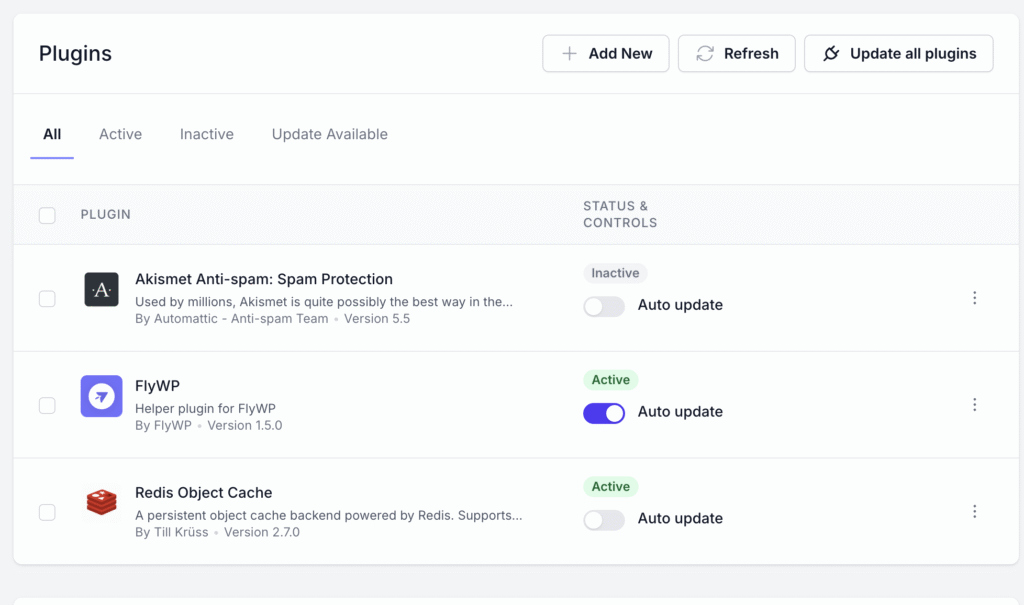
- View all installed plugins in a clean, categorized interface.
- Tabs for quick navigation:
- All – Displays all installed plugins.
- Active – Shows currently active plugins.
- Inactive – Lists plugins that are installed but not activated.
- Update Available – Highlights plugins with available updates.
2. Plugin Management Controls
Section titled “2. Plugin Management Controls”- Activate / Deactivate Plugins
Instantly toggle a plugin’s status without accessing wp-admin. - Auto Update Toggle
Enable or disable automatic updates for each plugin individually.
(Perfect for mission-critical sites that require update control.) - Bulk Actions
Select multiple plugins to:- Activate
- Deactivate
- Delete
- Update
3. Plugin Actions
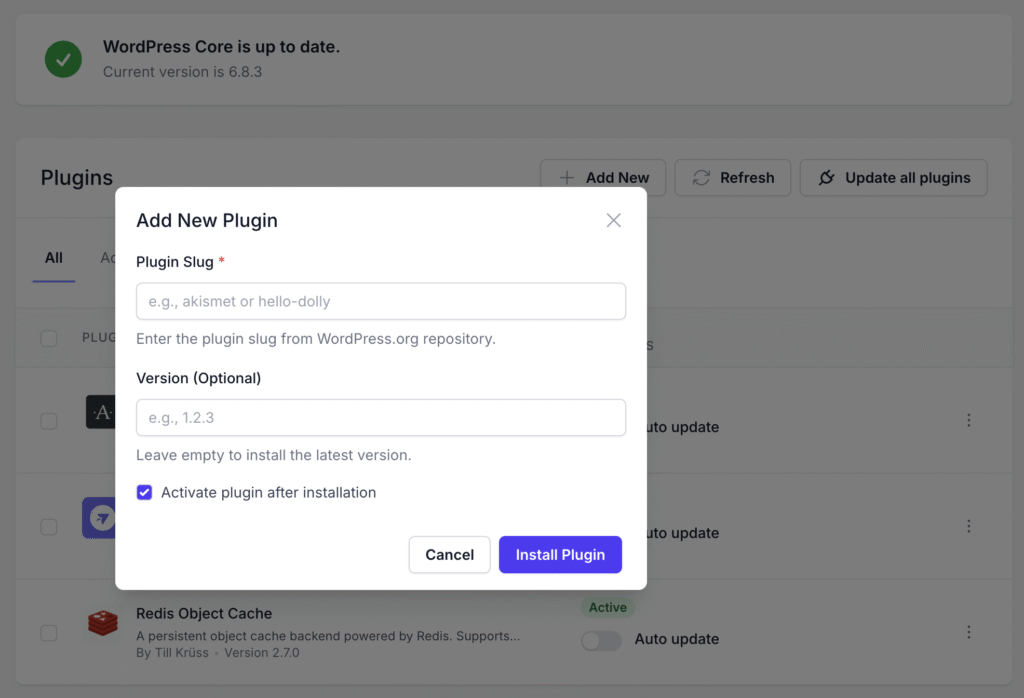
Section titled “3. Plugin Actions”- Add New Plugin
- Install new plugins from the FlyWP marketplace, WordPress.org repository, or custom ZIP upload.
- Update All Plugins
- One-click option to update every plugin across your site safely.
- Refresh Plugin List
- Sync and refresh plugin data from the server in real time.
4. Plugin Details Display
Section titled “4. Plugin Details Display”Each plugin card displays:
- Plugin Name and Description
- Author Information
- Version Number
- Current Status (Active/Inactive)
- Auto-update Switch
5. Smart Update Handling
Section titled “5. Smart Update Handling”- Updates are performed in an isolated process to ensure stability.
- Automatic rollback in case of plugin update failure.
- Integration with FlyWP’s version management and backup system.
6. Security & Performance
Section titled “6. Security & Performance”- Detects and flags outdated or vulnerable plugins.
- Shows Redis cache integration status when applicable.
- Lightweight backend processing for minimal resource impact.
7. Deep Integration with FlyWP
Section titled “7. Deep Integration with FlyWP”- Works seamlessly with FlyWP’s:
- Server Management Layer for real-time status control.
- Backup & Restore System before plugin updates.
- Monitoring Dashboard to track plugin performance.
Example Use Case
Section titled “Example Use Case”Need to update your caching plugin?
Simply open Plugins → Redis Object Cache → Update, and FlyWP will:
- Create a backup snapshot.
- Update the plugin.
- Automatically restart necessary services (if required).
- Confirm success or notify if rollback occurs.
Still stuck? How can we help?
View as Markdown