Cloudflare R2
Cloudflare R2 is a secure, fast, and cost-efficient object storage service from Cloudflare. Designed to be a direct competitor to Amazon S3, R2 offers integrated benefits with Cloudflare’s existing suite of products, including edge caching. By using Cloudflare R2 with FlyWP:
- Cost-Efficiency: Often cheaper than traditional storage providers.
- Performance: Integrated with Cloudflare’s network for faster content delivery.
- Security: Built with Cloudflare’s renowned security infrastructure.
Creating an R2 Bucket
Section titled “Creating an R2 Bucket”- Log into your Cloudflare dashboard.
- Navigate to the R2 section.
- Click on the “Create Bucket” button.
- Follow the prompts to name and configure your bucket.
Getting R2 Credentials
Section titled “Getting R2 Credentials”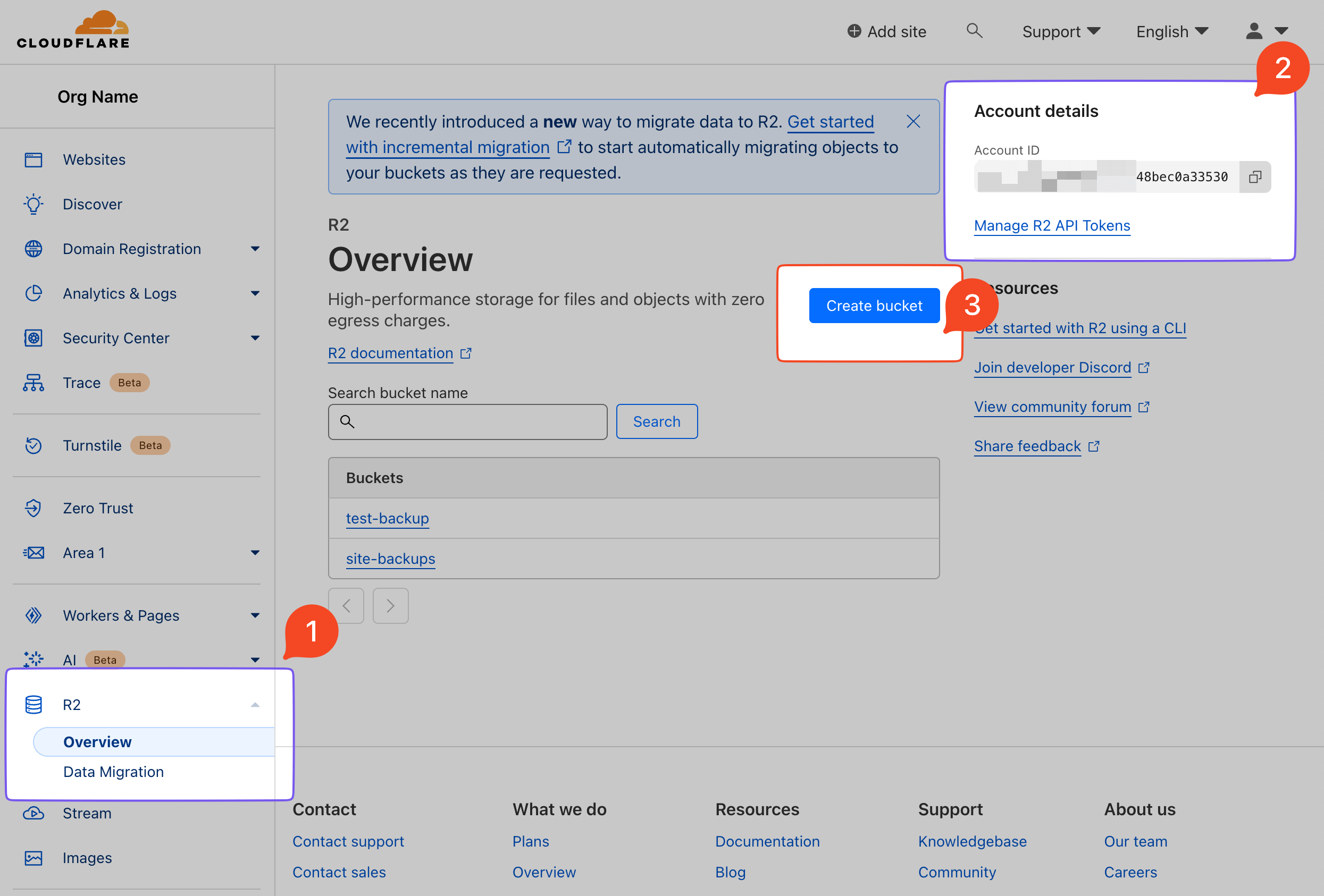
- On the left sidebar, locate the R2 menu.
- Note down your ‘Account ID’ displayed prominently on the page.
- The “Create Bucket” button is present for future bucket creations.
API Tokens
Section titled “API Tokens”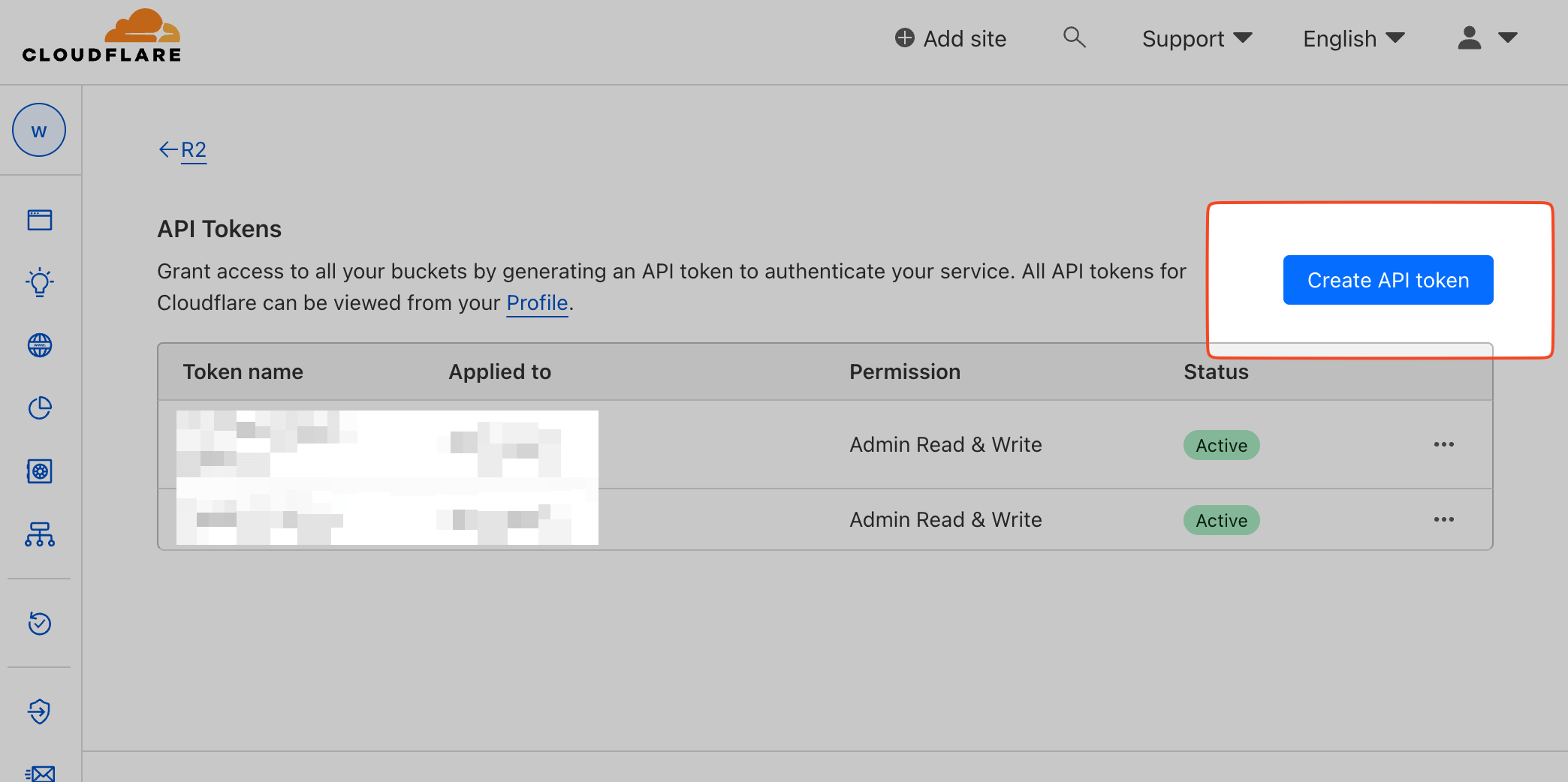
- This page lists all your available tokens.
- To create a new token, click on the “Create Token” button.
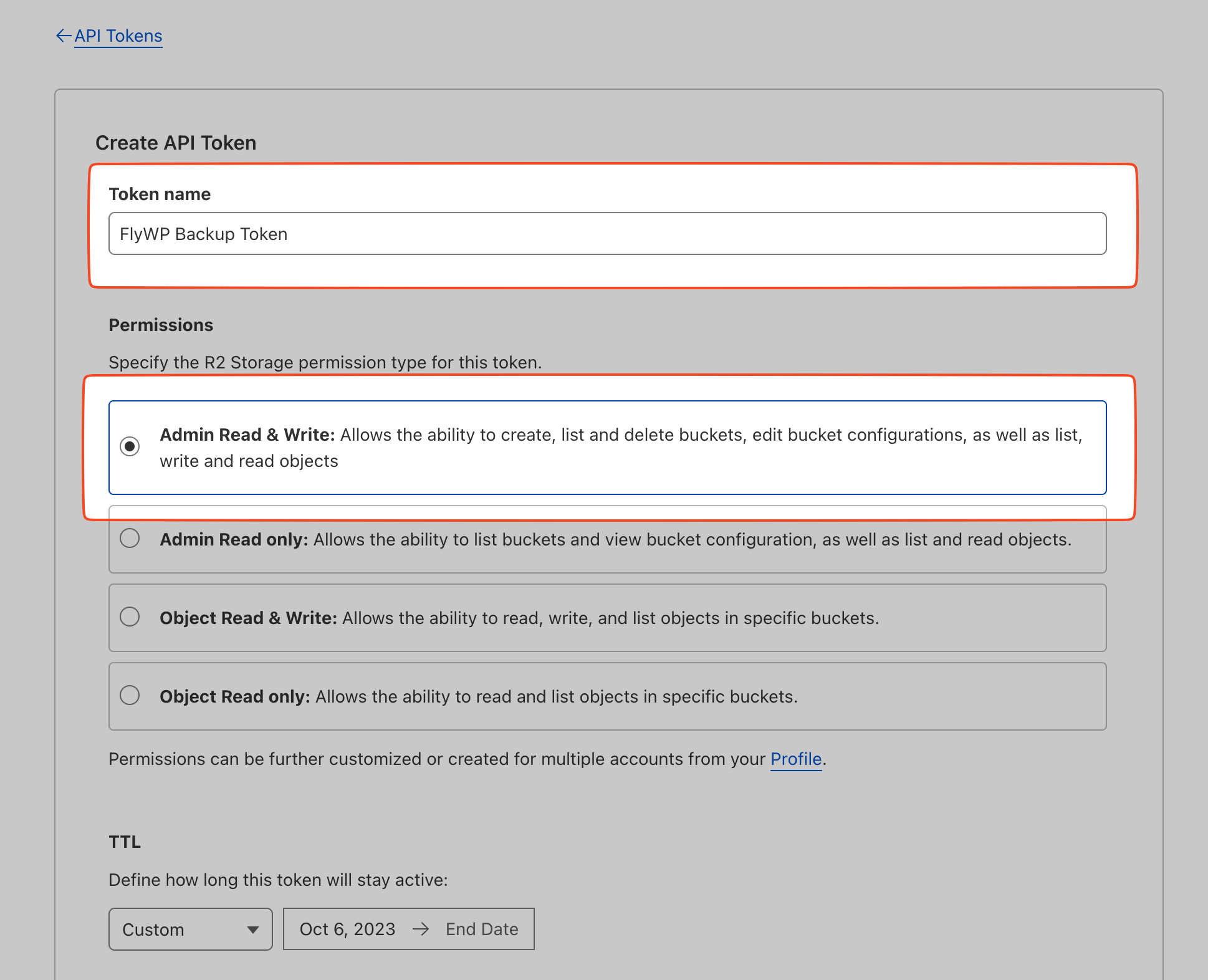
- Input a descriptive name for the token.
- Ensure you provide the necessary permissions, Admin Read & Write permission is required for the backup to work.
Access & Secret Key:
Section titled “Access & Secret Key:”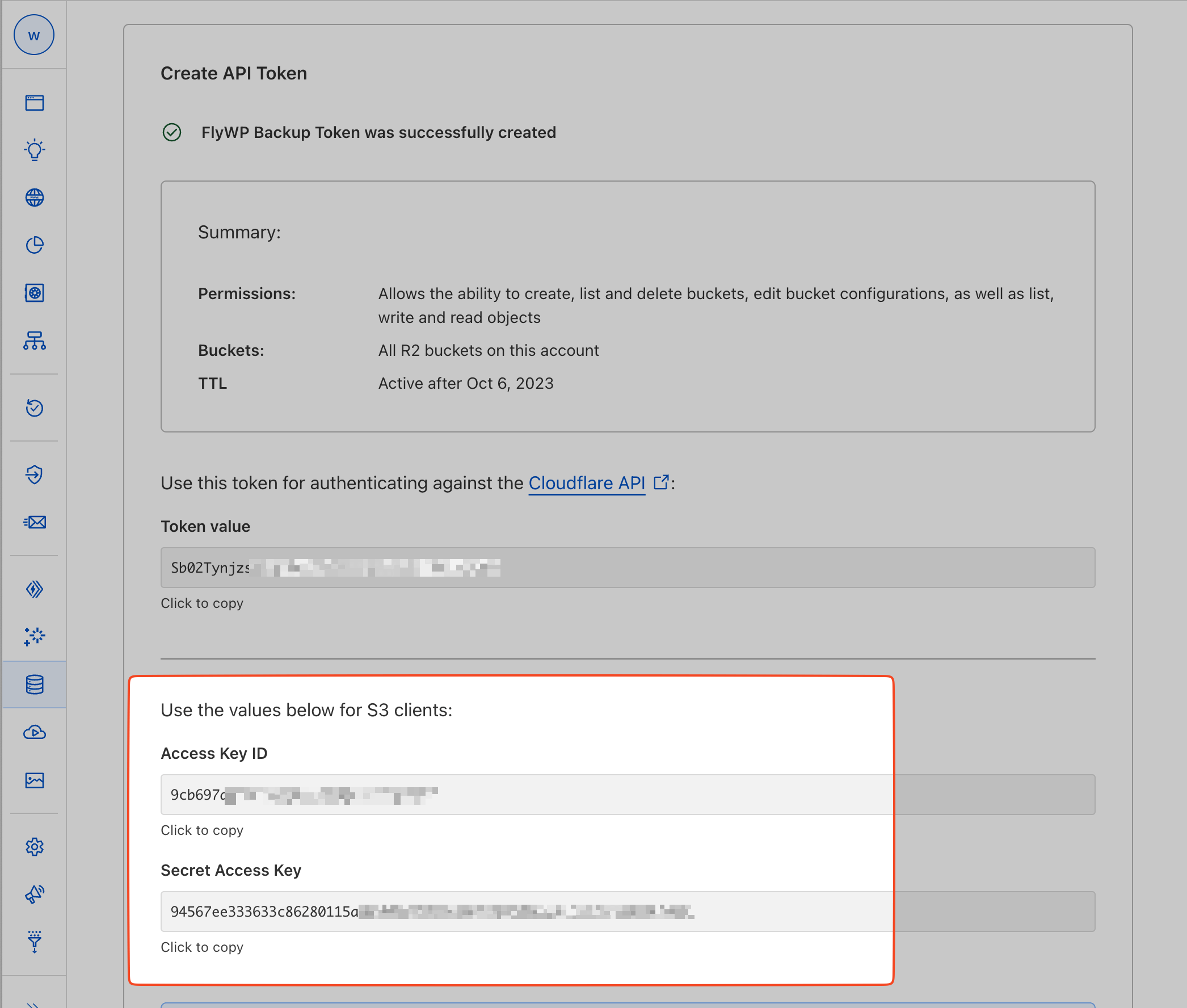
- Once the token is created, Cloudflare will provide both an ‘Access Key ID‘ and ‘Secret Access Key‘.
- Important: Note these down securely. Cloudflare will not show the secret key again for security reasons.
Adding Cloudflare R2 as a Provider in FlyWP
Section titled “Adding Cloudflare R2 as a Provider in FlyWP”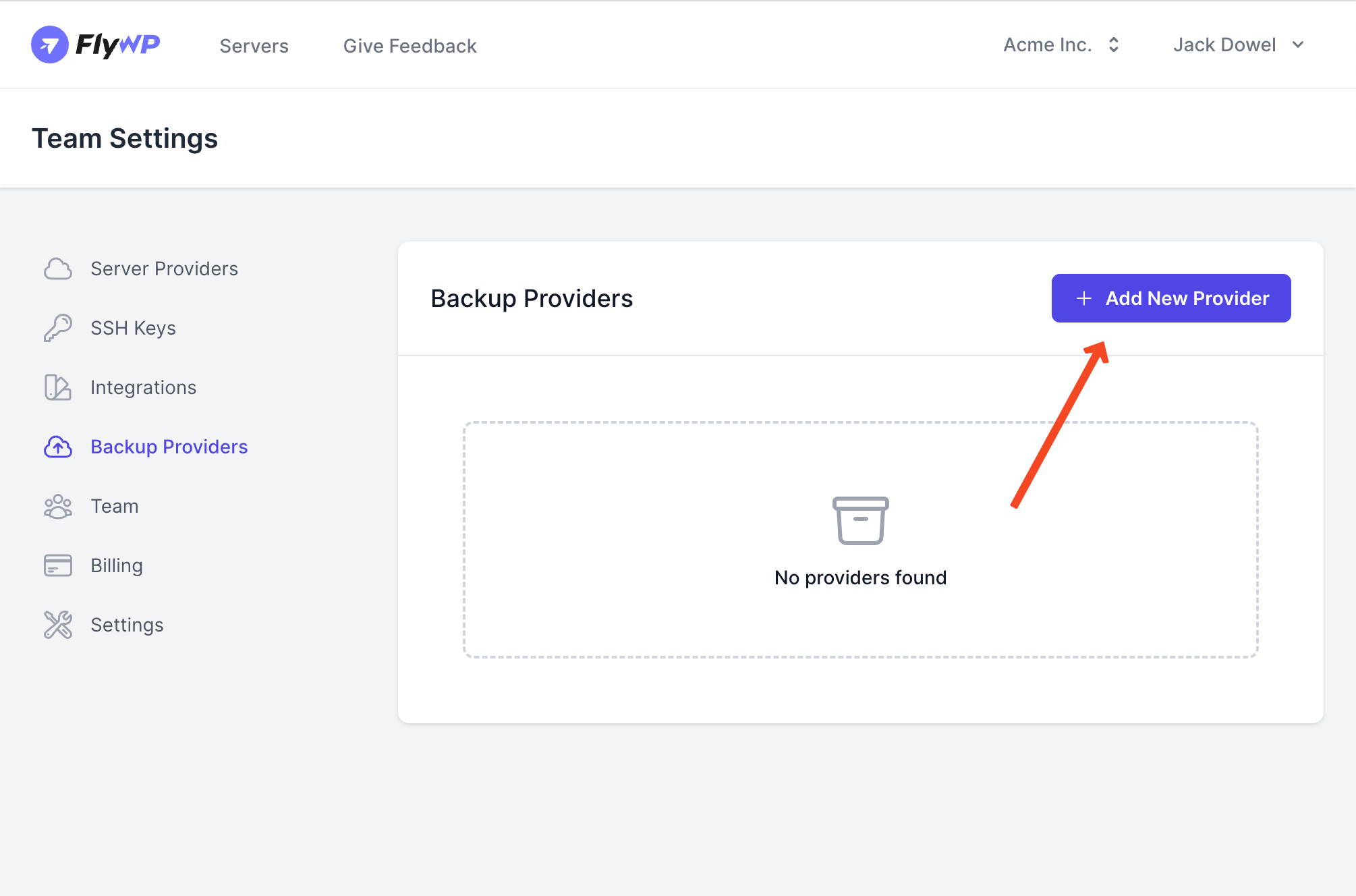
- Within FlyWP, navigate to ‘Backup Providers‘.
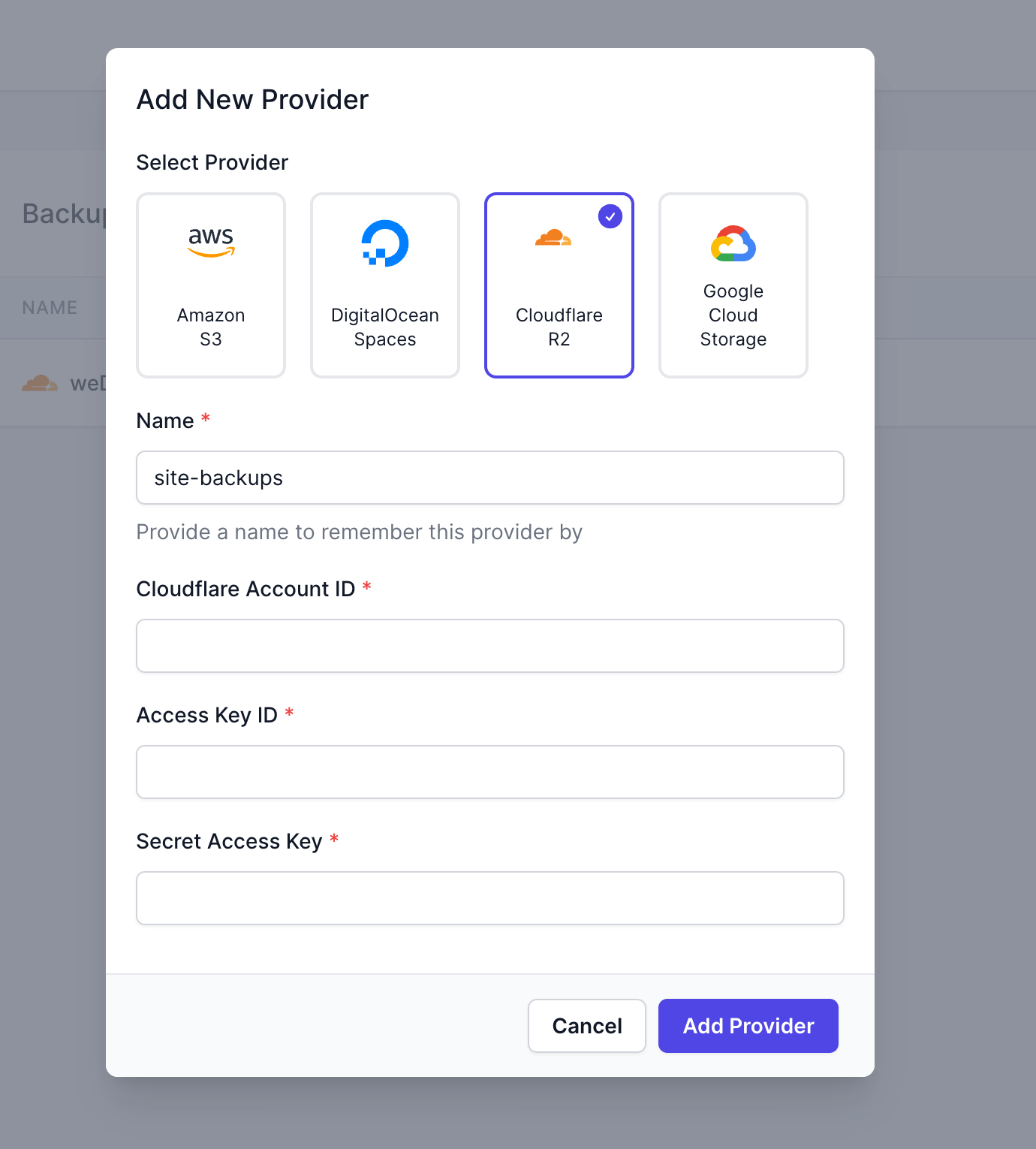
- Select ‘Add New Provider‘ and choose ‘Cloudflare R2‘ from the dropdown.
- Input the following:
- Cloudflare Account ID: This is the Account ID you noted from the R2 overview page.
- Access Key ID: Enter the ‘Access Key ID’ obtained during the token creation.
- Secret Access Key: Input the ‘Secret Access Key’ you saved earlier.
- Confirm and save your settings.
With Cloudflare R2 now integrated into FlyWP, you can easily set up and manage backups stored on R2, leveraging its benefits for your website.
Still stuck? How can we help?
View as Markdown